Keyboard window management for macOS
Piccolo is a menu bar app that moves, resizes and arranges windows with global keyboard shortcuts. You bind each shortcut to one action in Settings.
Features
-
Presets and custom areas
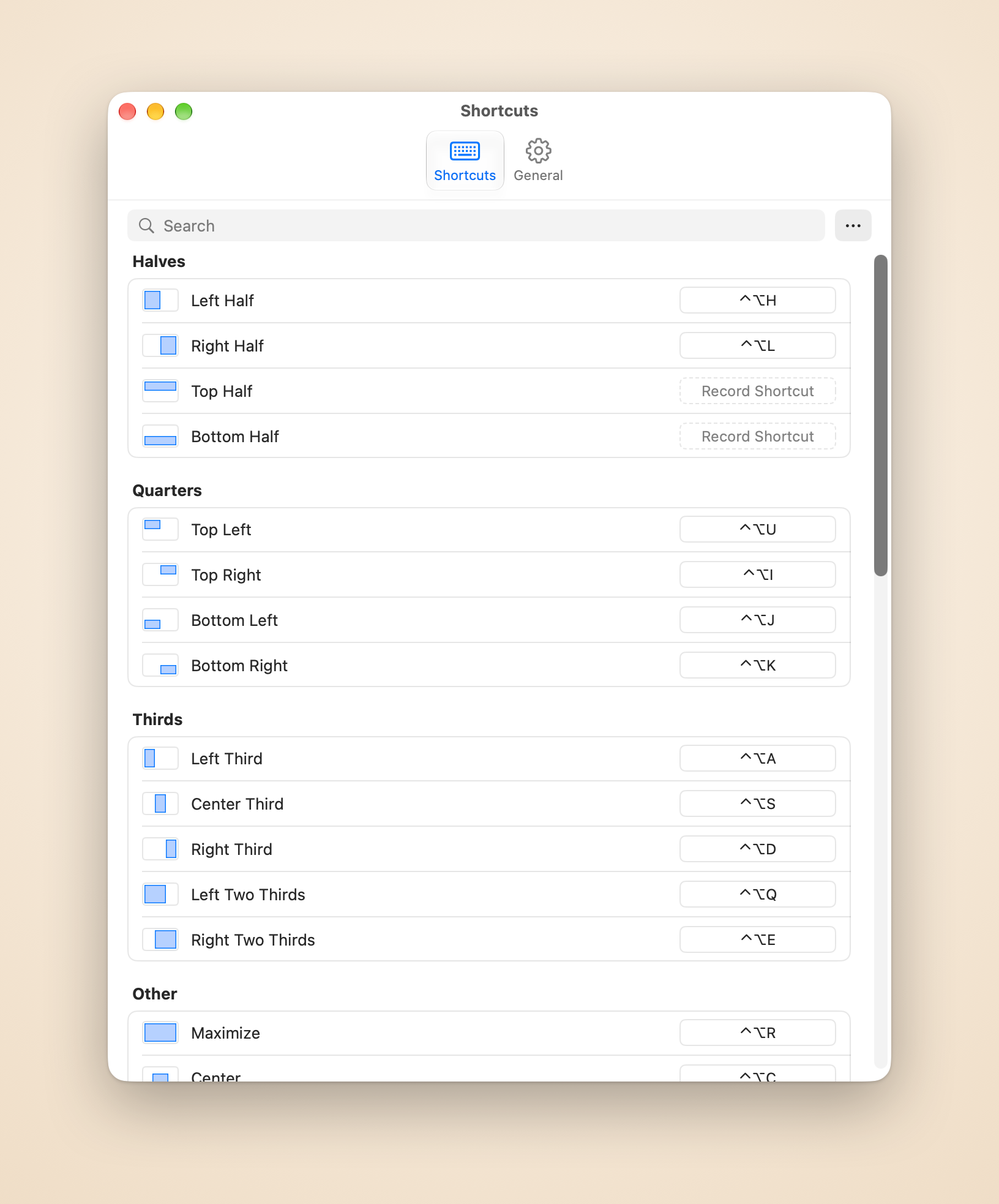
Place the focused window at a preset (halves, quarters, thirds, two thirds, maximize, center) or at a custom area you draw on a picture of the screen. Press Left, Right, Top or Bottom Half again to cycle the window through 1/2, 2/3 and 1/3 of the display.
-
Move to another display
Send the focused window to the next or previous display, or to the display on its left, right, above or below. It keeps its relative position and size.
-
Arrange windows in a grid
Arrange your most recently focused windows in a grid, such as three windows in 2 × 2. Each shortcut arranges one grid that you choose.
-
Linked resize
After Piccolo arranges windows side by side, stacked or in a grid, a shortcut moves a divider and the neighbouring windows follow, with no gap and no overlap.
-
Swap Window
In a group of windows that Piccolo arranged, the focused window trades places with its neighbour on the side of the key. The layout and the link between the windows stay.
-
Destination preview
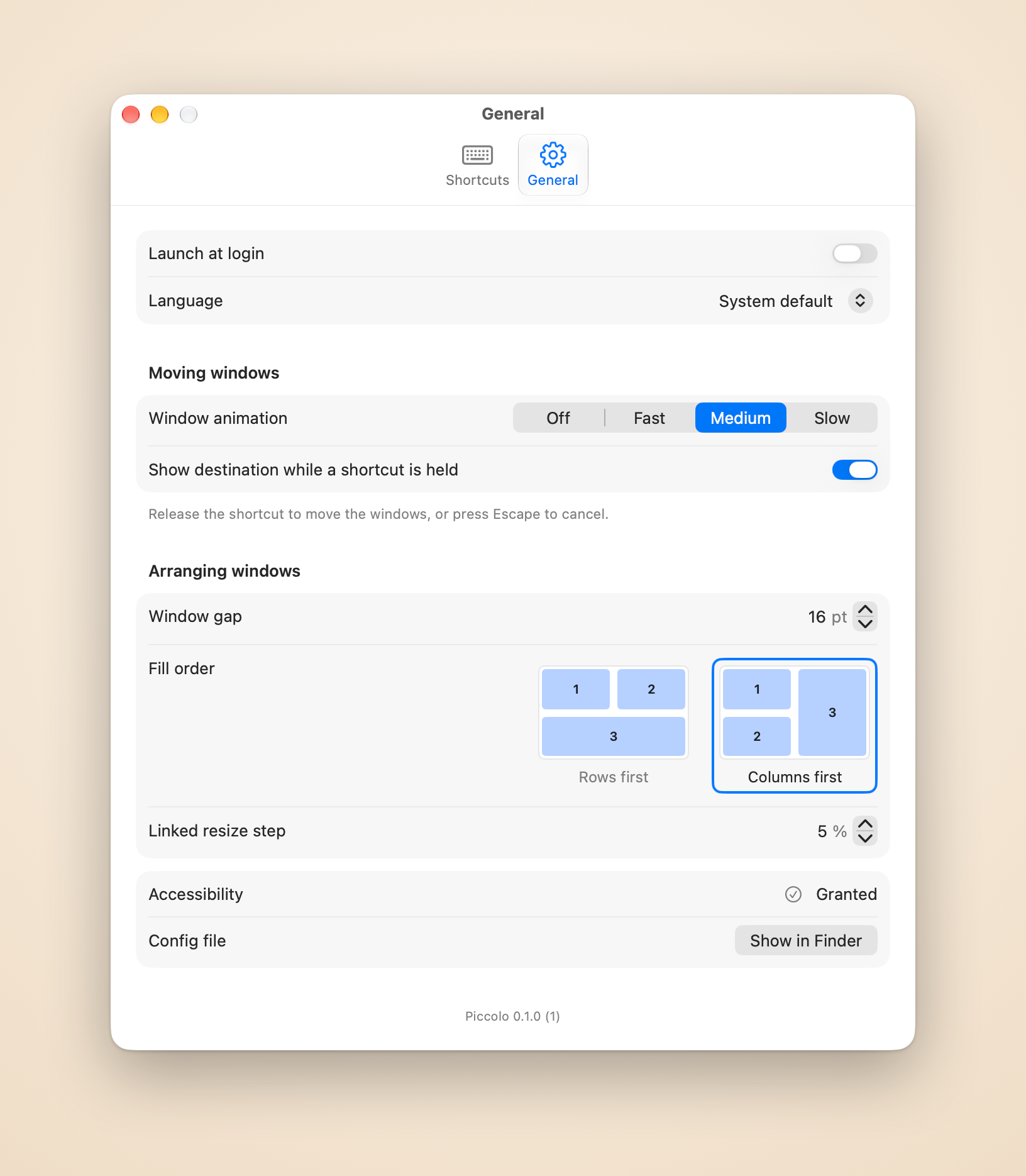
Hold a shortcut and a highlight shows where the windows will go. Release to move them, or press Escape to cancel.
-
Restore Window
Puts the focused window back where it was before Piccolo moved it. One level, kept in memory until Piccolo quits.
-
Keymap with shortcut recording
Settings lists every action in a searchable keymap. Click a row, press the keys, and the shortcut is recorded and saved. Changes can be undone with ⌘Z.
-
Eight interface languages
The menu and Settings are available in English, Simplified Chinese, Traditional Chinese, Japanese, French, Spanish, Brazilian Portuguese and German.
Screenshots
Pricing
Launch price
US$4.99 one-time purchase
- One license covers 3 Macs
- 14-day free trial with full features, no account and no card
- Every Piccolo 1.x update included
- 30-day refunds, no questions asked
The price will rise as Piccolo grows.
Orders are processed by Dodo Payments, the merchant of record, which handles payment, tax and invoices.
Requirements
- macOS 14 or later.
- The Accessibility permission: Piccolo moves other apps' windows through the macOS Accessibility API, so without the permission no window moves.
FAQ
Why does Piccolo need Accessibility?
Piccolo moves and resizes other apps' windows through the macOS Accessibility API, and without the permission no window moves. It uses it to read and change the position and size of windows. You grant it under System Settings, Privacy & Security, Accessibility.
What leaves my Mac?
- License activation sends your license key and your Mac's model identifier (for example MacBookPro18,3) to Dodo Payments.
- License validation sends the key and the activation ID to Dodo Payments about once a week.
- Deactivate This Mac sends the key and the activation ID to Dodo Payments.
- The update check fetches the appcast from this website once a day. Sparkle sends the app's name and version in the User-Agent and no system profile.
Nothing else leaves your Mac: no analytics, no crash reporting. Your windows, shortcuts and config file stay local. See the Privacy Policy.
How many Macs can I use?
One license covers 3 Macs.
How do I move my license to another Mac?
On the Mac you want to free, open Settings, go to General and choose Deactivate This Mac. Then activate your license on the other Mac.
How do refunds work?
You can ask for a refund within 30 days of purchase, no questions asked. Email support@damao.io with your order number. See the Refund Policy.